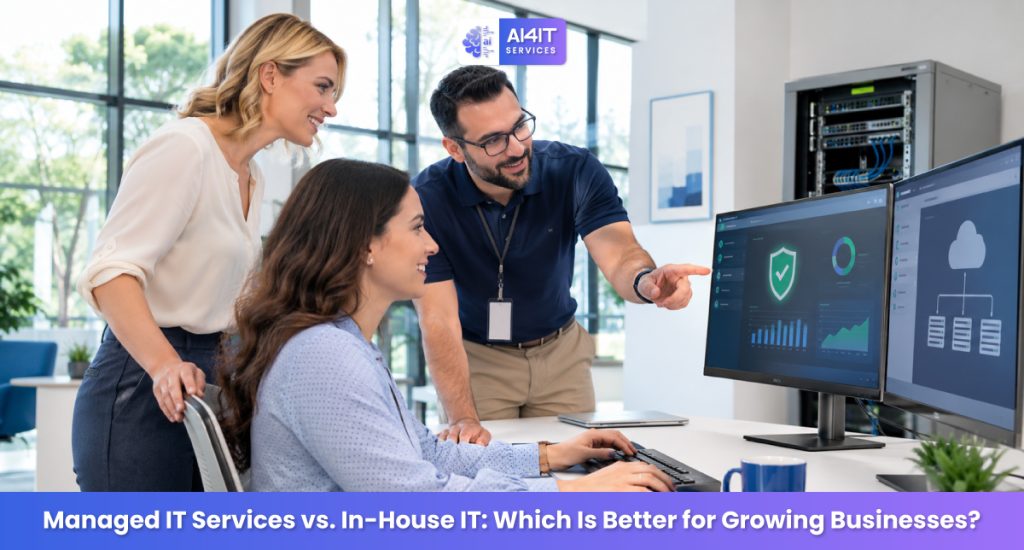
As a business grows, its technology needs become more complex. What once required only a few computers and basic technical support can quickly turn into a larger IT operation involving cybersecurity, cloud infrastructure, data backups, employee support, network management, and compliance.
At this stage, many business owners face an important decision: Should we build an in-house IT team or outsource IT management to a managed service provider (MSP)?
Both options have advantages. An in-house IT department offers direct control and dedicated internal resources, while managed IT services provide access to a broader range of technical expertise without the responsibility of maintaining a full internal team.
The right choice depends on your company’s size, budget, security requirements, growth plans, and technology environment.
In this guide, we’ll compare managed IT services and in-house IT to help growing businesses make a practical, informed decision.
What Are Managed IT Services?
Managed IT services involve outsourcing some or all of your company’s IT operations to an external provider known as a Managed Service Provider (MSP).
Instead of hiring and managing every IT specialist internally, your business works with an IT partner that monitors, maintains, secures, and supports your technology environment.
Depending on your agreement, managed IT services may include:
- 24/7 network and infrastructure monitoring
- Help desk and technical support
- Cybersecurity monitoring and protection
- Firewall and endpoint security management
- Cloud infrastructure management
- Data backup and disaster recovery
- Software updates and patch management
- Server and network administration
- IT consulting and technology planning
- Vendor and license management
Most MSPs offer services through a recurring monthly agreement. Pricing and service coverage depend on the number of users, devices, infrastructure complexity, and required support levels.
For growing businesses, this model can provide access to multiple IT specialties without having to recruit and retain a large internal department.
What Is In-House IT?
In-house IT means employing your own IT professionals who work directly for your company.
These employees are responsible for maintaining your technology infrastructure, resolving technical issues, supporting staff, managing systems, and implementing IT projects.
An in-house IT team may include:
- IT support technicians
- Systems administrators
- Network engineers
- Cybersecurity specialists
- Cloud administrators
- IT managers
Smaller businesses may start with one IT administrator or generalist. As the company expands, it may need additional specialists to handle more advanced requirements.
The main advantage is direct control. Your IT employees work within your organization, understand its internal processes, and can focus on company-specific technology needs.
However, building a complete IT department requires ongoing investment in salaries, recruitment, training, software, tools, and infrastructure.
Managed IT Services vs. In-House IT: Key Differences
Before choosing an IT model, it is important to understand how both approaches compare across everyday business requirements.
| Comparison | Managed IT Services | In-House IT |
| Staffing | External IT specialists | Direct employees |
| Cost structure | Usually recurring service fees | Salaries, benefits, tools, and training |
| Expertise | Access to a broader team of specialists | Depends on internal hiring |
| Support coverage | Depends on the service agreement | Depends on staff availability |
| Scalability | Can often expand with business needs | Requires recruitment and training |
| Cybersecurity | Security services may be included | Requires internal expertise and tools |
| Management | Shared with an external provider | Directly managed internally |
| Control | Defined by contract and responsibilities | Greater direct operational control |
| Business continuity | Provider processes and backup resources | Depends on internal staffing and documentation |
Neither model is automatically better. The right approach depends on what your business needs and what it can realistically maintain.
1. Cost: Which IT Model Is More Affordable?
Cost is one of the biggest considerations for growing businesses.
Hiring an internal IT team involves more than paying salaries. Employers also need to account for benefits, recruitment, professional development, software licenses, security tools, hardware, and employee leave coverage.
For example, a business that needs cybersecurity, cloud administration, network management, and help desk support may need several employees or contractors to cover those responsibilities.
Managed IT services can consolidate many of these requirements into a recurring service agreement.
In-house IT costs may include:
- Employee salaries and benefits
- Recruitment and onboarding
- Training and certifications
- Security and monitoring software
- IT management tools
- Hardware and infrastructure
- Backup staffing and specialist contractors
Managed IT service costs may include:
- Monthly service fees
- Additional project charges
- Specialized security services
- Cloud and software licensing
- Hardware or infrastructure expenses outside the agreement
Which is more affordable?
Managed IT services may be more cost-effective for businesses that need broad IT coverage but cannot justify hiring multiple specialists.
In-house IT may make financial sense for larger organizations with substantial, continuous internal IT workloads.
The best way to compare costs is to calculate the total cost of ownership over 12–36 months rather than looking at salaries or monthly service fees alone.
2. Technical Expertise: Access to the Right Specialists
Technology environments are becoming increasingly complex. Businesses may need expertise in cloud platforms, cybersecurity, networking, compliance, automation, and infrastructure management.
A small internal IT team may not have specialists for every area.
Managed IT providers typically operate with teams that cover different technical disciplines. Depending on the provider and contract, businesses can access expertise in areas such as:
- Microsoft 365 and cloud administration
- AWS and Microsoft Azure
- Network security and firewall management
- Endpoint detection and response
- Server administration
- Data backup and recovery
- Vulnerability management
An in-house IT department provides deeper familiarity with your organization’s internal systems and workflows. However, specialist knowledge depends on the people you hire and retain.
What should growing businesses consider?
If your business needs several different IT skill sets but does not have enough work to justify hiring specialists individually, a managed IT provider may offer greater flexibility.

3. Cybersecurity: Protecting Business Data and Systems
Cybersecurity is no longer something businesses can address only after an incident. Companies need ongoing protection for their networks, devices, applications, employee accounts, and sensitive information.
Both managed IT services and in-house IT can support cybersecurity, but the available resources may differ.
Managed IT cybersecurity
Depending on the service agreement, an MSP may provide:
- Firewall configuration and monitoring
- Endpoint protection
- Security patch management
- Multi-factor authentication support
- Email security
- Vulnerability assessments
- Security monitoring and incident escalation
- Backup and recovery management
Some providers also offer dedicated managed detection and response (MDR) or security operations services. These are not automatically included in every managed IT package.
In-house IT cybersecurity
An internal team can develop security processes around the company’s specific applications, users, and business operations.
However, maintaining effective cybersecurity internally may require dedicated security professionals, appropriate tools, ongoing training, and incident response procedures.
Which is better?
For businesses without dedicated security staff, a qualified managed IT provider can help establish and maintain essential security controls.
Larger organizations with complex environments may benefit from an internal security team, supported by external cybersecurity specialists where necessary.
No provider can guarantee that a business will never experience a cyberattack. The important factors are prevention, detection, response readiness, and recovery.
Assess Your Company’s Cybersecurity Risk
Do you know how exposed your business is to cyber threats?
Use the AI4IT Services Cybersecurity Risk Score assessment to review potential weaknesses and identify areas that may require attention.
Start your assessment: https://calculator.ai4itservices.com/cybersec
4. Scalability: Supporting Business Growth
Your IT requirements today may look very different from what you need two years from now.
A growing business may add employees, open new offices, adopt cloud applications, expand remote work, or introduce new business systems.
Your IT support model should be able to grow alongside the organization.
Managed IT services
A managed service provider may be able to adjust support coverage, monitoring, infrastructure management, and security services as your business expands.
This can reduce the need to recruit new employees every time your IT requirements change.
However, scalability depends on the provider’s capacity, contract terms, and service capabilities.
In-house IT
An internal department can grow with the organization, but expansion usually requires additional recruitment, onboarding, training, and management.
This can take time, particularly when specialized technical roles are difficult to fill.
Best option: Managed IT services can offer a practical growth path for businesses that need flexible IT support without building a large internal department.
5. Response Times and Employee Support
When an employee cannot access an important application or a business system stops working, productivity can suffer.
Reliable IT support helps reduce disruption and keeps employees focused on their responsibilities.
With an in-house IT team, employees can contact internal technicians directly. This can be useful when issues require knowledge of company-specific applications and processes.
Managed IT providers usually offer a help desk or ticketing system. Support availability and response commitments depend on the service-level agreement (SLA).
Before signing an agreement, ask:
- What are the standard support hours?
- Is after-hours support included?
- Are emergency incidents handled differently?
- What are the guaranteed response times?
- How are critical issues escalated?
- Is on-site support available?
- Are remote employees covered?
Remember that response time and resolution time are different. A provider may acknowledge a ticket quickly without resolving the issue immediately.
Review the actual SLA instead of relying on general claims about fast support.
6. Control and Customization
Some businesses prefer to maintain direct control over their IT infrastructure, policies, and technical decisions.
In-house IT provides this level of control because employees work directly under the company’s management.
The business can prioritize projects, define procedures, and make technology decisions internally.
With managed IT services, some responsibilities are shared with an external provider. The arrangement must clearly define who manages systems, approves changes, handles incidents, and owns documentation.
This does not mean businesses lose control when outsourcing IT. A well-structured agreement can establish clear approval processes, reporting requirements, access controls, and accountability.
Consider in-house IT if:
- Your technology environment is highly specialized.
- You require constant internal IT involvement.
- Your company has strict operational or regulatory requirements.
- You want direct management of every IT function.
Consider managed IT services if:
- You need reliable IT operations without managing a large department.
- You want access to multiple technical specialties.
- Your business needs flexible support.
- You prefer predictable service arrangements.
7. Business Continuity and Disaster Recovery
Unexpected incidents can interrupt business operations. These may include hardware failures, ransomware, accidental data deletion, cloud service outages, or network disruptions.
A strong IT strategy should include:
- Regular data backups
- Tested recovery procedures
- Documented incident response plans
- Redundant systems where appropriate
- Defined recovery time objectives (RTOs)
- Defined recovery point objectives (RPOs)
- Clear communication and escalation procedures
Managed IT providers may offer backup monitoring, disaster recovery planning, and restoration assistance as part of their services.
An in-house IT team can also manage these responsibilities, provided it has the right resources and documented processes.
The important point is not simply who manages your backups. It is whether your organization can restore critical systems and data within an acceptable timeframe.
Ask your IT team or provider to demonstrate that recovery procedures have been tested.

Managed IT Services vs. In-House IT: Pros and Cons
| Model | Advantages | Potential drawbacks |
| Managed IT services | Access to broader expertise, flexible support, recurring service structure, reduced internal staffing requirements | Less direct control over daily operations, provider dependency, contract limitations, varying service quality |
| In-house IT | Direct control, company-specific knowledge, immediate internal collaboration, dedicated employees | Higher staffing commitments, recruitment challenges, specialist skill gaps, coverage limitations |
The right decision should account for both the benefits and the responsibilities associated with each model.
8. The Hybrid IT Model: Combining Both Approaches
Businesses do not always need to choose between completely outsourced IT and a fully internal department.
A hybrid IT model combines internal IT employees with external managed IT services.
For example, a growing company might maintain one internal IT administrator to manage employee needs and business applications while outsourcing specialized responsibilities such as:
- Cybersecurity monitoring
- Cloud infrastructure management
- Network monitoring
- Backup and disaster recovery
- Advanced troubleshooting
- After-hours support
This approach gives the company internal ownership while providing access to additional expertise when required.
When does a hybrid model make sense?
A hybrid approach may be useful when:
- Your company has an existing IT employee or small team.
- You need specialized cybersecurity support.
- Your infrastructure requires more expertise than your internal team can provide.
- You want internal control over business-critical systems.
- You need additional support during expansion.
For many growing businesses, hybrid IT is a practical middle ground.
Which IT Model Is Right for Your Business?
There is no universal answer. Your company’s size, infrastructure, internal capabilities, budget, and security requirements should guide the decision.
Here is a simple starting point:
| Business situation | Recommended approach |
| Small business with limited IT staff | Managed IT services |
| Growing business with increasing support needs | Managed IT or hybrid IT |
| Medium-sized company with an internal IT administrator | Hybrid IT |
| Large company with complex infrastructure | In-house IT with specialist external support |
| Business with limited cybersecurity expertise | Managed IT with appropriate security services |
| Company requiring constant internal technical support | In-house or hybrid IT |
These are general guidelines, not strict rules. A smaller company with complex systems may need more internal expertise, while a larger company may outsource significant parts of its IT operations.
9. Questions to Ask Before Choosing a Managed IT Provider
If you decide to explore managed IT services, choosing the right provider is just as important as choosing the outsourcing model.
Before signing an agreement, ask:
- What services are included in the monthly agreement?
- What services are billed separately?
- What are your guaranteed response times?
- Do you provide cybersecurity monitoring?
- How do you handle security incidents?
- Do you support our existing cloud platforms and business applications?
- How frequently do you review our IT infrastructure?
- What backup and disaster recovery services are included?
- How do you document systems, passwords, configurations, and changes?
- What happens if we decide to change providers?
- Who owns our data, accounts, and configurations?
- Can you provide references from businesses with similar requirements?
Look for transparent pricing, documented service levels, clear responsibilities, appropriate security practices, and a well-defined exit process.
Avoid choosing a provider based on price alone.
10. How AI Is Changing Managed IT Services
Artificial intelligence is changing how IT teams monitor systems, investigate problems, and support employees.
Modern IT operations increasingly use automation and AI-assisted tools to help with repetitive tasks and improve visibility.
Examples include:
- Automated identification of unusual system activity
- Faster analysis of IT support requests
- Predictive infrastructure monitoring
- Automated ticket categorization
- Assistance with troubleshooting
- Security alert prioritization
- IT workflow automation
These capabilities can help both managed IT providers and internal IT departments.
However, AI does not replace the need for experienced IT professionals. Automated recommendations require human oversight, and businesses must consider data privacy, access permissions, accuracy, and security when deploying AI tools.
When evaluating an MSP, ask how it uses automation and AI, what data those tools process, and what human review is involved.
A Practical IT Decision Checklist
Before deciding, review these questions with your management team:
- Do we have enough internal IT expertise?
- Can we afford to recruit and retain the specialists we need?
- Are our systems monitored consistently?
- Do we have documented cybersecurity policies?
- Are our backups regularly tested?
- Can our IT support model handle business expansion?
- Do employees receive timely technical support?
- Do we have a clear disaster recovery plan?
- Are IT costs predictable and properly documented?
- Do we have clear accountability for IT decisions?
If several areas are difficult to manage internally, it may be time to evaluate managed IT services or a hybrid model.
Frequently Asked Questions (FAQs)
1. Are managed IT services cheaper than in-house IT?
Managed IT services can be more cost-effective for businesses that need several technical specialties but do not have enough work to justify hiring a full internal team. However, the actual cost depends on the services, infrastructure, support requirements, and contract.
2. Is managed IT suitable for small businesses?
Yes. Small businesses can use managed IT services to access technical support, infrastructure management, and cybersecurity expertise without building a large internal IT department.
3. Can a managed IT provider replace an in-house IT team?
In some businesses, a managed service provider can handle most or all IT operations. Other organizations may still need internal employees for company-specific applications, strategic decisions, and daily coordination.
4. What is the difference between managed IT services and IT support?
IT support often focuses on resolving technical issues when they occur. Managed IT services generally involve a broader, ongoing relationship that may include proactive monitoring, maintenance, security, backups, and IT planning.
5. Is managed IT secure?
Managed IT services can improve security when the provider follows appropriate security practices and has clearly defined responsibilities. However, outsourcing does not eliminate cyber risk. Businesses should review the provider’s security controls, incident response procedures, access management, and contractual obligations.
6. What is a hybrid IT model?
A hybrid IT model combines an internal IT team with external service providers. The company retains internal ownership of selected responsibilities while outsourcing specialized or resource-intensive IT functions.
7. How do I choose the right managed IT provider?
Evaluate the provider’s technical experience, cybersecurity capabilities, service-level agreements, support availability, pricing transparency, documentation practices, references, and contract exit terms.
8. When should a growing business consider managed IT services?
Consider evaluating managed IT when your internal team struggles to keep up with support requests, cybersecurity requirements, infrastructure maintenance, cloud management, or business expansion.
Final Thoughts: Choose an IT Strategy That Supports Growth
Choosing between managed IT services and in-house IT is about more than reducing costs. It is about building a technology environment that supports your business today while preparing it for future growth.
In-house IT offers direct control and dedicated internal knowledge. Managed IT services provide access to broader expertise and can reduce the burden of building and maintaining a large IT department.
For many growing businesses, a hybrid IT model offers a practical balance between internal control and external expertise.
Before making a decision, evaluate your current IT infrastructure, staffing requirements, cybersecurity readiness, and long-term business goals.
Need help evaluating your IT environment?
AI4IT Services helps businesses explore IT management, infrastructure, and cybersecurity solutions based on their operational requirements.
Book a consultation to discuss your IT needs and identify opportunities to improve your technology operations.
Schedule a consultation: https://go.appointmentcore.com/book/yYDD8Arcz?cid=is:~Contact.Id~
Website: https://www.ai4itservices.com/